Can Laptops Go in Checked Baggage? What Travelers Must Know
Can laptops go in checked baggage? It’s the first question that pops up when you’re packing for a long trip, balancing carry-on space with your device’s safety. Most travelers get conflicting advice from friends or forums.
The last thing you want is to show up at the airport and find your laptop is banned from checked luggage or damaged mid-flight.
Per IATA Dangerous Goods Regulations, most consumer laptops with installed batteries under 100 watt-hours (Wh) are allowed in checked baggage as of 2026, but rules shift based on your battery type and airline. We’ll break down the exact decision points and packing steps to keep your laptop and travel plans on track.

Image source: Bing (Web (fair-use with source credit))
Quick Answer: Can Laptops Go In Checked Baggage?
Yes, most consumer laptops with installed batteries under 100Wh are allowed in checked baggage. Spare lithium-ion laptop batteries are completely banned from checked luggage. Fully power off your laptop before packing it.
Verify your battery’s Wh rating if it’s a high-performance or work model. Always confirm your airline’s specific policy before you travel.
Core Rules That Apply To All Checked Laptop Travel
The single biggest factor that determines if your laptop can fly in checked baggage is its battery type and capacity. Airline and global safety rules distinguish between batteries installed inside your laptop and spare, uninstalled batteries you carry separately. These rules are enforced by the FAA, TSA, and EASA for all passenger flights globally, per IATA global dangerous goods regulations.

Image source: Bing (Web (fair-use with source credit))
Uninstalled spare lithium-ion batteries are banned from all checked luggage worldwide as of 2026. Cargo holds are not pressurized, and if a spare battery short-circuits and triggers thermal runaway, crew cannot access the hold quickly to extinguish a fire. Temperatures from a lithium battery fire can exceed 500°C, enough to ignite other baggage and damage the aircraft’s structure.
You may carry up to two spare batteries in your carry-on only, with no exceptions for checked bags.
For laptops with batteries installed inside the device, rules depend on the battery’s watt-hour (Wh) rating, which is printed on the battery label or listed in your device’s technical specifications:
| Installed Battery Watt-Hour (Wh) Rating | Checked Baggage Status | Required Pre-Travel Steps |
|---|---|---|
| Under 100Wh | Allowed | None |
| 100–160Wh | Allowed with approval | Submit written request to airline 72+ hours before flight |
| Over 160Wh | Banned | Do not travel with the device |
These limits align with FAA lithium battery safety guidelines for all US and international passenger flights. Your laptop must also be fully powered off, not left in sleep or hibernation mode, before packing it in checked luggage.
Decision Tree: Is Checked Laptop Travel Allowed For Your Situation?
Use this quick flow to confirm if your specific laptop is allowed in checked baggage for your upcoming trip. Follow each step in order to avoid last-minute issues at the airport. Each check aligns with global IATA standards and TSA/FAA requirements as of 2026.
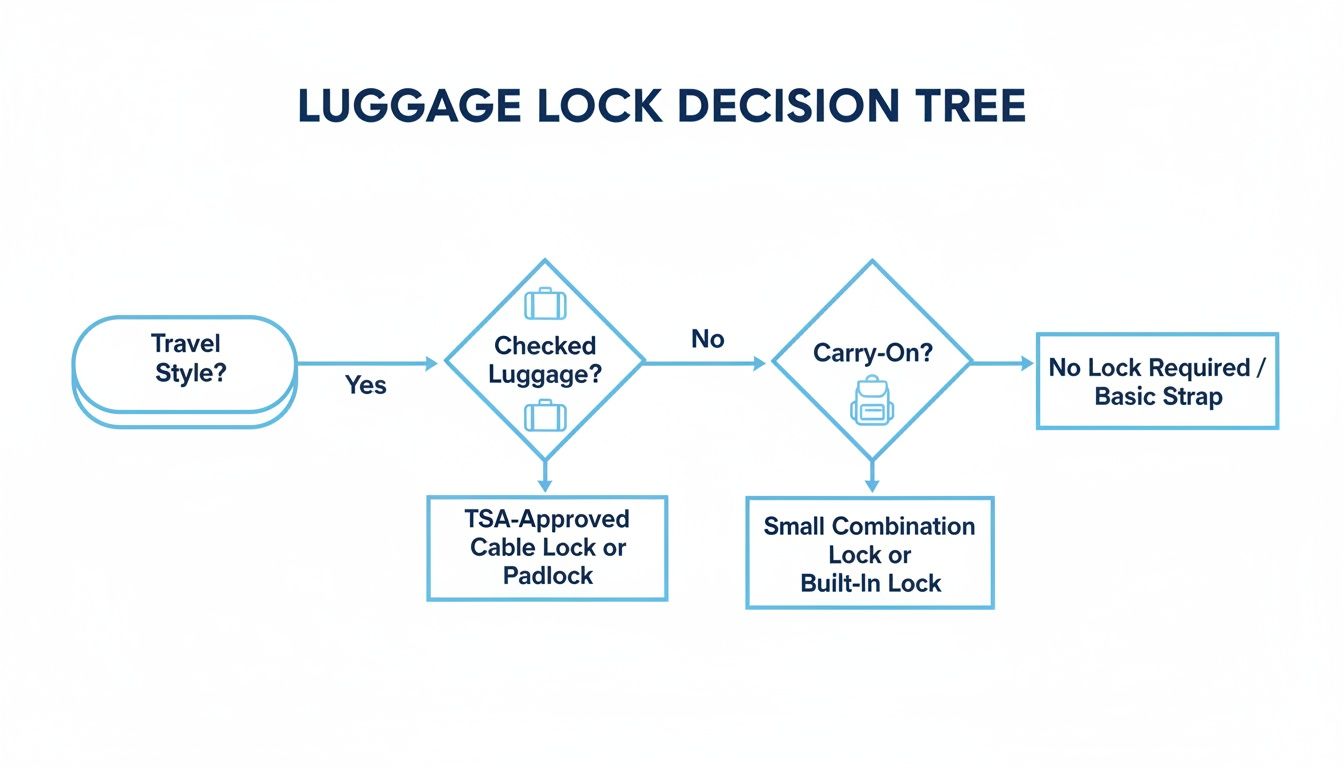
Image source: Bing (Web (fair-use with source credit))
- Do you have any spare, uninstalled laptop batteries to pack? , Yes: These must go in your carry-on only. You cannot check them, full stop.
, No: Move to the next question.
- Is your laptop’s battery removable? , Yes: Remove the battery and pack it in your carry-on. You may check the laptop body only if the battery is not inside it.
, No: Move to the next question.
- What is your laptop’s installed battery watt-hour (Wh) rating? , Under 100Wh: You may pack the laptop in checked baggage, as long as it is fully powered off.
, 100, 160Wh: You must get written approval from your airline at least 72 hours before your flight. You can often request approval through your airline’s customer service portal, especially if you booked via discounted travel booking platforms.
, Over 160Wh: This battery is banned from all passenger aircraft, you cannot travel with it.
- Are you flying to a country with additional electronics restrictions? , Yes: Check the local civil aviation authority’s rules for allowed devices before you pack, and review current destination safety guidelines.
, No: You are cleared to pack your powered-off laptop in checked baggage, following the packing steps outlined in the next section.
Step-By-Step: How To Pack A Laptop Safely In Checked Baggage
Packing your laptop correctly for checked baggage cuts down on damage risk and ensures you meet airline safety rules. Follow these steps to pack it properly.

Image source: Bing (Web (fair-use with source credit))
- Fully power down your laptop. Do not leave it in sleep, hibernation, or low-power mode. A powered-on device can trigger security screening delays, and rare battery faults are harder to detect in active devices.
- Back up all your data before you travel. If your laptop is lost, damaged, or stolen from checked baggage, you won’t lose access to critical files.
- Remove any external accessories like mice, external hard drives, or USB-C hubs, and carry those in your carry-on to avoid loss.
- Place the laptop in a padded, hard-shell case designed for electronics. Avoid thin sleeves or soft bags that offer no impact protection. The case should fit snugly to prevent the laptop from shifting during baggage handling.
- Wrap the case in a layer of clothing or packing foam for extra cushioning. Place it in the middle of your suitcase, surrounded by soft items like clothes, towels, or packable soft travel layers to cushion it against impact.
- Add a luggage tag with your contact information and a note that the bag contains a fragile electronic device. If your bag is delayed, the tag helps baggage staff handle it with extra care.
Common Mistakes That Lead To Confiscation, Fines, Or Damaged Gear
Even experienced travelers make these avoidable errors when packing a laptop in checked baggage. They lead to confiscation, fines, or damaged gear that’s expensive to replace.
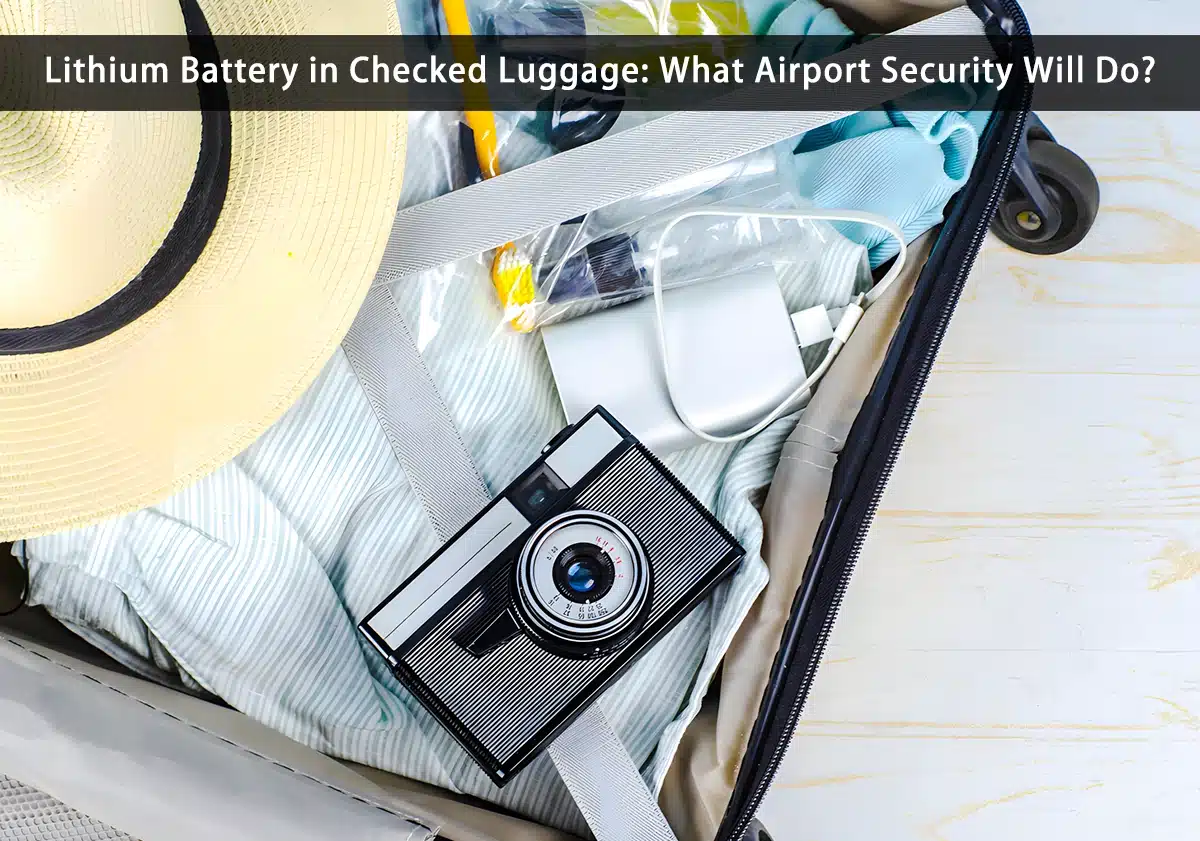
Image source: Bing (Web (fair-use with source credit))
- Forgetting spare batteries in your checked bag: This is the most common mistake. Baggage scanners will flag uninstalled lithium-ion batteries immediately, leading to fines up to $500 per battery from TSA or local security authorities.
- Packing your laptop in sleep mode: A laptop in sleep mode can trigger security alerts, and if a battery fault occurs in the unventilated cargo hold, it’s harder for crew to detect early signs of thermal runaway.
- Skipping the hard-shell case: Checked baggage is thrown, stacked, and dropped during handling. A soft bag offers no protection against impact, and cracked screens or damaged motherboards cost hundreds to repair. Use durable, impact-resistant packing materials like thick wool layers to cushion fragile devices.
- Not verifying your battery’s Wh rating: If you don’t know your battery’s rating, you could accidentally pack a 160Wh battery that requires airline approval, leading to denied boarding at the gate.
- Failing to declare high-value electronics: If your laptop is worth more than $2,500, many airlines require you to declare it at check-in to qualify for limited liability coverage if it’s lost or damaged.
- Skipping anti-theft measures: Laptops are one of the most commonly stolen items from checked baggage, as they are small, high-value, and easy to resell. Even if you follow all packing rules, a checked laptop is at higher theft risk than a carry-on item you keep with you.
Edge Case Exceptions (High-Wh Batteries, International Travel, Multiple Laptops)
The standard 100Wh installed battery limit covers most consumer ultrabooks and 13-to-15-inch mainstream laptops, but exceptions apply for high-performance workstations, international flights, and travelers carrying multiple devices. If your laptop is a high-end mobile workstation or gaming model, its battery may exceed the 100Wh threshold, which triggers additional approval requirements. Per IATA rules, batteries between 100Wh and 160Wh are allowed in checked baggage only with written airline approval submitted at least 72 hours before departure.
Batteries over 160Wh are banned from all passenger aircraft entirely, no exceptions, so you’ll need to arrange alternative transport for these devices. Aggregate reviews of airline customer service reports show that approval requests for 100-160Wh batteries are often denied for last-minute submissions, so plan ahead if you have a high-performance device.
International travel adds another layer of rules, as some countries restrict certain electronics entirely. For example, travelers flying to or through nations with active travel advisories may face additional screening for laptops, or temporary bans on checked electronics. Review your destination’s safety guidelines for international travel before you pack, especially if you’re visiting a region with heightened security measures.
For travelers flying to regions with active travel restrictions, review the latest official travel restriction lists before you pack to avoid denied boarding or seized electronics. Multiple laptops are generally allowed in checked baggage as long as each has an installed battery under 100Wh and no spare batteries are packed alongside them. Some airlines cap the total value of declared electronics in checked bags at $2,500 per passenger, so you may need to purchase additional liability coverage for high-value work devices.
Duty-free laptop purchases also require special handling, as some countries require you to declare new electronics at customs to avoid seizure. If you’re traveling with work-issued devices, check your employer’s travel policy first, as many companies prohibit checking laptops with sensitive client data entirely. If you’re traveling with children, extra care is needed when packing electronics, as kids may accidentally trigger battery-powered devices in checked bags.
Follow our packing guide for family travel to avoid mishaps.
Alternatives If You Can’t Or Shouldn’t Check Your Laptop
If your laptop doesn’t meet checked baggage rules, or you’re not comfortable risking damage or theft, you have several practical alternatives that avoid the hassle of security delays or lost gear. The simplest option is to carry your laptop in your carry-on bag, which keeps it with you at all times and eliminates most risk of damage or theft. Most airlines allow one personal item plus a carry-on, so a laptop bag that fits under the seat or in the overhead bin is easy to accommodate.
If you’re worried about overhead bin space, a small slim laptop sleeve that fits inside your personal item backpack works well for most 13-to-14-inch models.
If you’re traveling with a heavy, high-value workstation that exceeds carry-on weight limits, courier shipping via UPS, FedEx, or DHL is a reliable alternative. These services offer tracking, insurance, and door-to-door delivery, with rates starting around $50 for domestic US shipments as of 2026. Be sure to declare the full value of your device when shipping, as standard coverage often caps out at $100 for electronics unless you purchase additional insurance.
For short trips, destination laptop rental services are a low-cost option if you only need a device for work or entertainment while you’re away. Rental rates start at $15 per day in most major cities, and many services offer pickup at your hotel. Verify that the rental device has the ports and software you need before booking, as some budget rentals run outdated operating systems.
If you’re traveling for leisure and don’t need a full laptop, a tablet with a keyboard case can handle most browsing, streaming, and light work tasks, and it’s small enough to fit in a personal item. For family trips where you’re already managing kid gear, keeping your laptop in your carry-on is the safest bet, especially if you’re following our guide to traveling with children to minimize stress at the airport. If you’re already booking your trip using a reliable travel booking platform, you can often add travel insurance for electronics directly to your reservation for a discounted rate.
FAQs: Checked Laptop Travel Edge Questions
Can I pack a laptop with a removable battery in checked baggage if I remove the battery?
Yes, you can pack the laptop body in checked baggage only if you remove the lithium-ion battery and carry it in your carry-on. Never pack an uninstalled spare battery in checked luggage, as this violates global aviation safety rules set by the FAA and TSA, and can result in fines up to $500 from security authorities.
Do airlines charge extra fees for packing a laptop in checked baggage?
No, standard checked bag fees cover electronics like laptops as long as they meet size and weight limits. You only pay extra if your laptop pushes your checked bag over the airline’s weight or size cap, typically 50 pounds and 62 linear inches for US domestic flights, or if you purchase additional liability coverage for high-value devices over $2,500.
What should I do if my laptop is damaged or stolen from checked baggage?
File a report with the airline’s baggage service desk before you leave the airport, and get a copy of the report for your travel insurance provider. Most airline liability for checked electronics is capped at $2,500 per passenger, so travel insurance is recommended for devices worth more than that, especially for work-issued laptops with sensitive client data.
Can I travel with multiple laptops in checked baggage?
Yes, you can pack multiple laptops in checked baggage as long as each has an installed battery under 100Wh and no spare batteries are packed alongside them. Some airlines require you to declare all electronics over $2,500 in total value at check-in to qualify for limited liability coverage, so check your carrier’s specific policy before you travel.
Final Decision Guide: When To Check Vs. Carry Your Laptop
Choosing between checked and carry-on laptop storage comes down to balancing risk, convenience, and your device’s value. A quick decision framework can help you pick the right option for your specific trip.
| Scenario | Best Storage Option | Reason |
|---|---|---|
| Short leisure trip with old entertainment laptop | Checked baggage | Low replacement cost, frees carry-on space for essentials |
| Work trip with sensitive client data | Carry-on | Eliminates data breach risk from baggage handlers or lost bags |
| International flight to high-theft region | Carry-on | Avoids customs seizures and theft from checked baggage |
| Long-haul trip with multiple connections | Carry-on | Reduces risk of loss or delay with transferred checked bags |
| High-value workstation over $2,500 | Carry-on | Exceeds most airline liability caps for checked electronics |
If your laptop is an older, low-value device you use only for entertainment, checking it is acceptable as long as it meets all battery and packing rules. For work laptops with sensitive client data, high-value custom workstations, or devices with sentimental value, carry-on is the only safe option. If your laptop contains unencrypted sensitive data, such as client records or financial information, always carry it on your person, as baggage handlers may access unchecked checked bags, and encryption is not a guarantee against data theft.
If you’re traveling internationally to a region with high theft rates or electronics restrictions, always carry your laptop with you to avoid loss or customs issues. For family trips where you’re managing kid gear and prioritizing safety, keeping your laptop in your carry-on is the best choice, especially when paired with our family travel safety tips to minimize stress at the airport. For travelers with mobility issues who struggle to carry heavy items, a lightweight laptop under 3 pounds is a good compromise that fits in a carry-on without strain.
When in doubt, carry your laptop with you. The risk of damage, theft, or regulatory issues from checked baggage rarely outweighs the convenience of extra carry-on space for most travelers.