Are you planning your next adventure and wondering how many laptops you can take with you? Whether you’re a digital nomad, a business traveler, or just someone who can’t part with their tech, understanding the rules and tips for traveling with laptops is crucial.
You might be concerned about airline regulations, security checks, or even protecting your devices from damage. In this guide, you’ll uncover everything you need to know to confidently pack your laptops without any hassle. Don’t let uncertainty hold you back—read on to discover how you can seamlessly integrate your tech into your travel plans and ensure a smooth journey.
Airline Regulations
Traveling with laptops involves knowing airline regulations. Airlines have specific rules for electronic devices. Understanding these ensures smooth travel. Each airline sets its own guidelines. These may affect the number of laptops you carry. Knowing the rules saves time and stress at the airport.
Carry-on Restrictions
Most airlines allow laptops in carry-on bags. Usually, there is no specific limit on laptops. But your bag must fit the overhead bin. Security checks may require laptops to be placed separately. Keep them easily accessible. Electronics like laptops must be screened individually. Follow instructions from security staff for a hassle-free process.
Checked Baggage Rules
Placing laptops in checked baggage is less common. They can be damaged or lost. Airlines often recommend carrying laptops with you. If you must check them, pack securely. Use sturdy bags with padding. Check airline policies on electronics in checked bags. Some airlines have restrictions on battery types. Always verify before packing your laptops.
Customs Considerations
Traveling with multiple laptops requires understanding customs regulations. Many countries allow up to two laptops per traveler. Exceeding this limit might lead to additional scrutiny or taxes at customs. Always check specific country rules before departure.
Traveling with multiple laptops can be a daunting task, especially when navigating customs regulations. Whether you’re a digital nomad, a tech enthusiast, or simply need the power of various devices at your fingertips, understanding customs considerations is vital to ensure a smooth journey. Knowing the rules and allowances can save you from unnecessary hassles and delays.
International Travel Guidelines
Different countries have varying rules regarding electronic devices. For instance, traveling to the U.S. might be straightforward, but heading to countries in the EU or Asia requires more attention. Some customs officers might ask for proof of ownership or inquire about the devices’ purpose. Be ready with receipts or documentation if possible. Think about the destinations you frequent and research their specific regulations. Have you ever faced unexpected questions at customs? Sharing these experiences can prepare others for similar situations.
Duty-free Allowances
Duty-free allowances can be a lifesaver for tech-savvy travelers. Many countries offer exemptions on a certain value of personal goods, including electronics. Check the duty-free limits of your destination country before packing. For example, Canada allows goods worth up to CAD 800 duty-free for travelers returning after 48 hours. Consider the number of laptops you carry and their value. Are they within the duty-free limit? This consideration can help you avoid additional fees. Make a list of your devices and their estimated values. This will not only help at customs but also in case of loss or theft during your travels. As you pack your bags, remember the importance of being informed. Customs considerations aren’t just about rules; they’re about ensuring your journey is as smooth as possible. So, how many laptops can you travel with comfortably? It might be fewer than you think!
Security Screening Tips
Traveling with multiple laptops is allowed, but check airline policies first. Most airlines permit two laptops in carry-on bags. For smooth security screening, remove each laptop from its bag and place it separately in bins.
Traveling with multiple laptops can be a daunting task. Security screening is a crucial step in ensuring a smooth journey. Understanding the guidelines and packing efficiently can make the process easier.
Tsa Guidelines
TSA allows you to carry laptops in your carry-on bags. Each laptop must be removed from its bag for separate screening. Place laptops in a bin to ensure clear visibility on the scanner. Avoid placing other items on top of laptops during screening. TSA officers might ask questions regarding your devices. Respond clearly and promptly to minimize delays. Follow these steps to speed up security checks and avoid complications.
Efficient Packing Strategies
Packing laptops efficiently saves time and space. Use a laptop bag with separate compartments. This keeps devices organized and easily accessible during screening. Place laptops in the outer pockets of your bag. This ensures quick removal at security checkpoints. Protect your laptops with padded sleeves. It prevents damage during travel. Keep chargers and accessories in a separate pouch. This avoids clutter and facilitates easy access. Efficient packing makes your travel hassle-free.

Credit: www.swissgear.com
Power And Charging Solutions
Traveling with multiple laptops involves understanding airline regulations. Most airlines allow two laptops in carry-on bags. Check specific airline rules to avoid issues. Proper power solutions ensure devices stay charged during your journey. Always pack chargers and adapters for different outlets.
Traveling with multiple laptops can be a logistical challenge, especially when it comes to keeping them powered up. Whether you’re a digital nomad or a tech-savvy traveler, understanding power and charging solutions is crucial for your journey. You don’t want to be stuck with dead batteries in the middle of an important project or presentation. Here’s how you can ensure your laptops stay charged and ready to go.
Voltage And Adapter Requirements
Different countries have varying voltage standards. It’s essential to check the voltage requirements of your laptops and the destination you’re traveling to. Most laptops are designed to handle a range of voltages, typically between 100V to 240V. However, you will need a plug adapter to fit the outlets in the country you’re visiting. Remember, a plug adapter won’t convert voltage; it simply allows your plug to fit into the outlet. Invest in a universal adapter that covers multiple plug types. This way, you’re prepared for various regions. Make sure to check the compatibility of your adapter with your laptop charger to avoid damage.
Portable Chargers And Power Banks
Portable chargers and power banks are lifesavers for travelers. They offer a convenient way to charge your laptops without needing an outlet. Choose a power bank with a high capacity, ideally one that can charge your laptop multiple times. Look for features like fast charging and multiple USB ports for added flexibility. Some power banks even come with AC outlets, allowing you to use your regular laptop charger. Consider the size and weight; you want something powerful yet easy to carry. Have you ever found yourself in a crowded airport with no available outlets? A power bank can save you from this common travel dilemma. Imagine the relief of having your laptop charged while others are scrambling for sockets. By preparing these power solutions, you ensure your laptops remain functional throughout your travels. How do you manage power for your devices while on the road? Share your insights and tips in the comments below.
Protecting Your Devices
Traveling with laptops requires understanding airline rules. Most airlines allow two laptops in carry-on bags. It’s crucial to check specific airline policies to avoid issues at security checks.
Traveling with multiple laptops can be a logistical challenge. Whether you’re a digital nomad or a frequent business traveler, ensuring the safety of your devices is crucial. Protecting your devices not only involves safeguarding them from physical damage but also securing your valuable data. Here’s how you can make sure your laptops remain safe and sound while on the move.
Safe Packing Techniques
Packing your laptops securely is essential. Use a sturdy, padded laptop bag that offers shock absorption. Ensure there’s a snug fit to prevent movement within the bag. Consider using a laptop sleeve for an extra layer of protection. Place your laptop bag in a carry-on, avoiding checked baggage whenever possible. This minimizes the risk of rough handling. If you must check your laptop, cushion it with clothes or other soft items. When packing multiple laptops, arrange them vertically like books on a shelf. This reduces pressure on individual devices. Make use of dividers to prevent scratches and bumps.
Data Security Measures
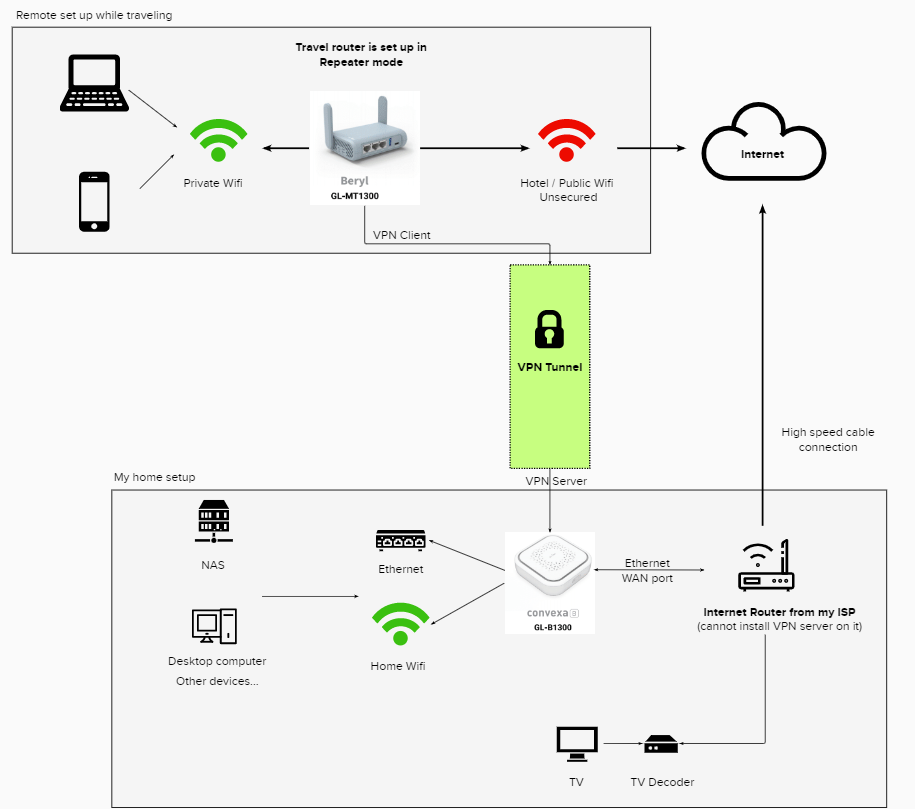
Traveling exposes your devices to different security risks. Begin by encrypting your data; this ensures that even if your laptop is stolen, your files remain inaccessible. Enable remote tracking and wiping features. This allows you to locate your laptop or erase sensitive data if it’s lost. Regularly back up your data to a secure cloud service. Be mindful of public Wi-Fi networks. Use a VPN to encrypt your internet connection and protect your privacy. Avoid accessing sensitive information in public spaces. Have you ever had a laptop damaged or compromised while traveling? Taking these steps could save you time and money. By packing smartly and securing your data, you’re investing in peace of mind for your travels.

Credit: www.facebook.com
Travel Insurance Benefits
Traveling with multiple laptops? Travel insurance offers peace of mind. It covers loss, theft, and accidental damage. Secure your gadgets and focus on enjoying your trip.
Traveling with multiple laptops can lead to unexpected mishaps. Travel insurance offers peace of mind by covering your electronics. In case of loss, damage, or theft, you remain protected. This coverage ensures your devices are safe, allowing you to focus on your journey.
Coverage For Electronics
Travel insurance often includes coverage for electronic devices. This can include laptops, tablets, and smartphones. If your laptop is damaged or lost, insurance can help. Many policies cover the cost of repair or replacement. Some even cover accessories like chargers and cases. Always read the policy details carefully. Ensure your specific devices are covered. Check the maximum coverage limit for electronics. This helps you understand what you can claim.
Filing A Claim
Filing a claim for a damaged laptop is straightforward. First, report the issue to your insurance provider. Provide necessary documents like receipts and proof of purchase. Photos of the damage can be helpful. Make sure to file the claim promptly. Delays can complicate the process. Keep a copy of all documents for your records. Follow up with your provider for updates. This ensures a smooth claims process.
Real-world Experiences
Traveling with multiple laptops can be tricky. Airlines often have different rules about electronics. Research and plan to avoid issues.
Traveling with multiple laptops can be a practical necessity or a logistical challenge depending on your situation. Whether you’re a frequent flyer or a business traveler, understanding real-world experiences can guide your decisions. Let’s explore insights and lessons from those who’ve navigated this path effectively.
Frequent Traveler Insights
Frequent travelers often juggle between personal and work devices. You might be wondering if it’s feasible to carry more than one laptop. Many seasoned travelers do it seamlessly by using compact, lightweight models that fit easily into carry-ons. Consider the experience of a digital nomad who travels with a personal laptop and a work-issued one. They ensure both devices are secured in a padded backpack, making it easy to pass through airport security. Traveling light becomes a mantra, opting for devices that are versatile and lightweight. Have you ever considered how to manage your devices at security checkpoints? Frequent travelers often use TSA PreCheck or similar services to expedite the process. This can save time and reduce the stress of handling multiple electronics.
Lessons From Business Travelers
Business travelers often need to carry multiple laptops for presentations and meetings. You may find yourself needing a backup device or one dedicated to specific tasks. Business travelers often share the importance of organizing cables and chargers to avoid tangled messes. A consultant friend of mine learned this lesson the hard way. After fumbling with tangled cords during a crucial meeting, they now use a dedicated organizer for tech accessories. This simple change can make a world of difference in keeping your travel smooth and professional. Have you thought about how to protect your data while traveling? Business travelers often emphasize using VPNs and secure connections. This practice helps ensure that sensitive information remains private, even when using public Wi-Fi. When traveling with multiple devices, planning is key. How will you power them all? Portable chargers and power banks become indispensable. Business travelers often keep these tools handy to ensure their laptops are always ready for action. Ultimately, your travel style and needs will dictate how many laptops you carry. Whether you’re a frequent flyer or a business executive, learning from real-world experiences can help you travel smartly and efficiently. What strategies will you implement on your next trip?

Credit: www.amazon.com
Frequently Asked Questions
Can You Bring Multiple Laptops On A Plane?
Yes, you can bring multiple laptops on a plane. Airlines typically allow several electronic devices. Ensure all laptops are easily accessible for security checks. Follow airline-specific rules for carry-on and checked baggage to avoid extra fees or complications during travel.
How Many Laptops Can I Take In Hand Luggage?
You can usually carry up to two laptops in hand luggage. Check with your airline for specific restrictions. Security checks require you to remove laptops from bags. Follow TSA or relevant airport guidelines for smooth travel.
What Are The Tsa Rules For Laptops?
TSA requires laptops to be screened separately at airport security checkpoints. Place laptops in a bin for X-ray screening. Ensure the laptop is easily accessible in your carry-on. Some TSA PreCheck lanes may allow laptops to remain in bags. Always follow the specific instructions given by TSA officers.
How Many Electronics Can I Bring Through Tsa?
You can bring multiple electronics through TSA. Ensure they fit in your carry-on luggage. Laptops may need to be screened separately. Keep devices charged to demonstrate functionality if asked. Check TSA guidelines for specific item restrictions.
Conclusion
Traveling with laptops requires planning. Check airline and country rules. Most allow multiple devices. Keep laptops in a carry-on for safety. Ensure they are charged before security checks. Use protective cases to prevent damage. Consider travel insurance for valuable electronics.
Knowing these tips can ease your journey. Stay informed and pack smart. Safe travels with your tech essentials!